.svg)
E-signatures
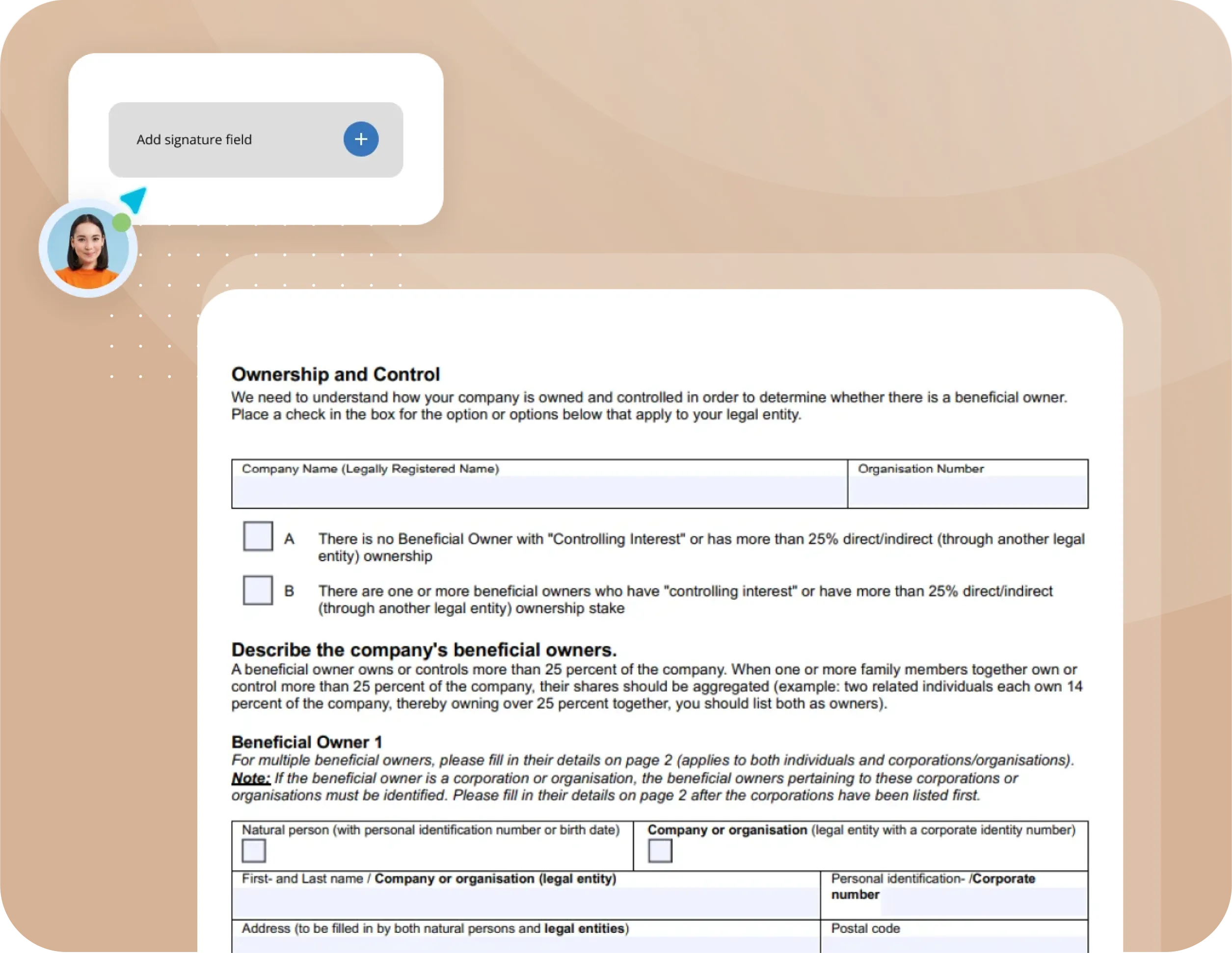
E-signing can take place in different ways, which gives different classifications. Signing can be done by the user drawing his/her signature with the finger/mouse cursor. Such a signature may be sufficient for certain agreements and can still check that the document has not been changed since it was signed.
It is a type of digital signature in its simplest form, but it is not classified as an advanced electronic signature (AES / AdES). An Advanced Electronic Signature (AES) has stricter requirements for linking the signature to the signer and for identifying the signer. In Formify, the completed PDF is also cryptographically protected so that subsequent changes can be detected.

.svg)
eIDAS
eIDAS is the EU regulation that establishes a common legal framework for electronic signatures and trust services across the European Union. It defines different levels of electronic signatures, including Simple Electronic Signatures (SES), Advanced Electronic Signatures (AES) and Qualified Electronic Signatures (QES).
An Advanced Electronic Signature (AES) must be uniquely linked to the signer, be capable of identifying the signer, be created under the signer's control, and be linked to the signed data in a way that makes subsequent changes detectable. An electronic ID is not in itself a requirement for AES. Strong identity verification can, however, be an important part of meeting these requirements.
In Formify's signing process, Live ID (identity verification using an ID document and a biometric selfie) can be used to verify the identity of the person signing. The verified identity is linked to the signing event, and identity information is embedded in the final PDF. Selected information can also be displayed directly in the document for clarity and readability.
The completed PDF is cryptographically protected using a qualified electronic seal issued to Formify by a Qualified Trust Service Provider (QTSP). The qualified electronic seal is separate from the signer's electronic signature. It protects the origin and integrity of the document and makes subsequent changes detectable.
PDF readers such as Adobe Acrobat can validate the electronic seal and display certificate and signature information contained in the PDF. This makes it possible to independently verify that the document has not been altered after it was sealed.
Electronic ink signature - Simple Electronic Signature (SES)
This type of signature can be used when it is not a requirement that the identity of the person signing must be able to be secured.
A simple electronic signature is performed without identification. The person who is to sign draws his/her signature (with finger, mouse cursor or similar - based on the device used) on the screen. Alternatively, this is done in combination with a name clarification (decided through settings by the user who creates the document).

SES
- Electronic signatures cannot be denied legal effect solely because they are electronic
- Simple signing with finger/mouse cursor
- Suitable when strong identity verification is not required
This method is most similar to the traditional method of signing, i.e. by drawing the signature on a piece of paper with a pencil. The difference is that our agreements are digital and give a higher level of security than a physical or scanned signature. The name entered by you or through the name clarification step gets included in the signature information in the completed and sealed PDF document (the original), while the signature is printed in a field directly in the document. This results in a so-called simple electronic signature.


AES
- Electronic signatures cannot be denied legal effect solely because they are electronic
- Strong identity verification of the signer
- Higher level of assurance than SES and suitable for most types of agreements
Advanced Electronic Signature (AES)
This type of signature is recommended when stronger verification of the signer's identity is important or required.
An Advanced Electronic Signature provides a higher level of assurance than a Simple Electronic Signature by linking the signature more strongly to the identity of the signer and the signed document.
For AES, Formify uses strong identity verification such as Live ID as part of the signing process. With Live ID, an identity document is verified and matched against a biometric selfie. The verified identity is linked to the signing event and recorded with the completed document.
The final PDF is also protected by Formify's qualified electronic seal, issued by a Qualified Trust Service Provider (QTSP). This allows the integrity and origin of the document to be independently verified and makes subsequent changes detectable.
AES
- Electronic signature that can not be denied legal validity
- Identity secured by eID
- Highest legal value and suitable for all types of agreements
SES
- Cannot be denied legal effect solely because it is electronic
- Simple signing with finger/mouse cursor
- Suited for agreements when identity verification is not required
Better
understanding
- Cannot be denied legal effect solely because it is electronic
- Simple signing with finger/mouse cursor
- Suited for agreements when identity verification is not required
Please remember
Under eIDAS, an electronic signature cannot be denied legal effect or admissibility as evidence solely because it is electronic.
For documents signed through Formify, the digital PDF is the verifiable version of the document. It contains embedded signature information and is cryptographically protected by Formify's qualified electronic seal, allowing the origin and integrity of the document to be independently verified and subsequent changes to be detected. Printed or scanned copies do not retain the same cryptographic verification capabilities.


