
E-signature MCP security: how to let an AI agent send contracts without exposing your archive
An AI agent that sends contracts through an e-signature MCP server should be able to prepare and send, not read your whole archive. Six patterns keep it that way, plus what e-signature vendors, Formify included, can and cannot limit, and a ten-question checklist for any e-signature MCP server.

By David Nordin
Last checked: 12 November 2026. Vendor pages and the Model Context Protocol (MCP) specification change, so re-check the ones you rely on.
Disclosure: Formify publishes this guide and is one of the vendors discussed.
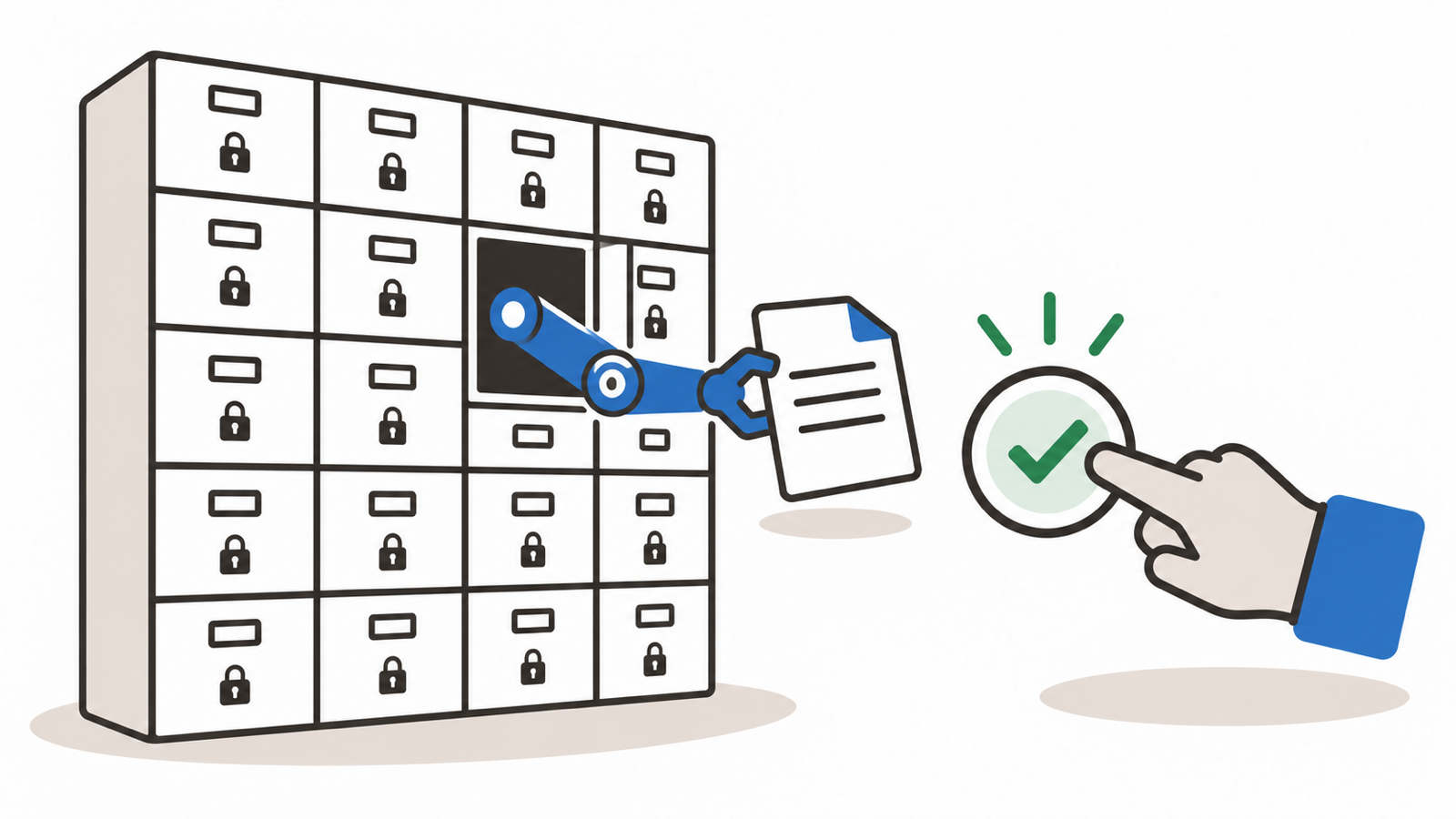
To let an AI agent send contracts through an e-signature MCP server without exposing your archive, give it only the actions it needs, approve every send yourself, keep it away from signed contracts, and make access easy to revoke. No vendor we checked documents a token limited to sending, one template or one folder. So you build the limit yourself: tool settings in your AI client, a separate user and a short checklist. This guide shows how, and what Formify can and cannot limit today.
TL;DR
- An agent that sends contracts needs prepare and send, not the archive.
- Limit tools in your client, require a human to approve every send, and give the agent its own user.
- Use webhooks for status instead of letting the agent read documents.
- No e-signature vendor we checked documents a send-only or template-only token, Formify included. Formify's MCP server lets you preview every document before it is sent and revoke access in one place.
- Run the ten-question checklist before you connect any e-signature MCP server.
Which e-signature tools can an AI agent use? Docusign, PandaDoc, Scrive, Youtrust, Signaturit and Formify each document an MCP server or connector. Formify's MCP server has 50 tools and lets the agent prepare, preview and send, while the signer verifies their identity with a passport or ID scan and a video selfie (AES). The full tool list is on Formify's MCP page. Formify is now listed in ChatGPT's plugin directory. Add Formify to ChatGPT and send contracts for signing from the chat.
What can an AI agent do through an e-signature MCP server?
Through an e-signature MCP server, an agent can call the same kinds of actions you see in the product. Sort them by risk before you grant any of them.
- Read the archive: Formify tools: list_documents, get_document, get_signed_document_url; Risk: Exposes names, signers, field values and signed copies; Sensible default: Off unless the task needs it
- Prepare: Formify tools: upload_file, create_draft, get_draft_file; Risk: Low; nothing leaves the account; Sensible default: Allow
- Send: Formify tools: send_draft, create_document; Risk: Contacts third parties and cannot be unsent; Sensible default: Ask a human every time
- Chase or edit signers: Formify tools: send_reminder, update_signee; Risk: Contacts third parties; Sensible default: Ask a human every time
- Cancel or delete: Formify tools: revoke_document, delete_document, delete_template; Risk: Destroys records; Sensible default: Off
- Account settings: Formify tools: register_webhook, rotate_webhook_secret, get_account_users; Risk: Changes where data flows; Sensible default: Off
Formify's MCP server exposes 50 tools. Formify's production checklist recommends human review for send, revoke, delete, reminder, webhook and document download actions. Under the MCP specification, clients must treat tool annotations such as "read-only" and "destructive" as untrusted unless the server is trusted, so set tool permissions in your client as well.
Why is giving an agent your signing account risky?
Giving an agent your signing account is risky because it reads untrusted text, it usually has more permissions than the task needs, and it can combine private data, untrusted input and outbound email in one session.
- The agent reads untrusted text. A contract, an email or a counterparty's file can contain instructions. OWASP lists this as indirect prompt injection, and says it is unclear whether fool-proof prevention exists.
- The agent has more power than the task needs. OWASP calls this excessive agency and names three causes: excessive functionality, excessive permissions and excessive autonomy.
- Three capabilities meet in one agent. Simon Willison calls the combination of access to private data, exposure to untrusted content and the ability to communicate externally the "lethal trifecta". A signing agent that can read the archive, open incoming contracts and send email has all three.
This pattern has been demonstrated on other tools. In May 2025 Invariant Labs showed how a malicious GitHub issue made an agent pull private repository data into a public pull request (Invariant Labs). In July 2025 General Analysis showed a support ticket with hidden instructions making a database agent copy a token table into the ticket thread (General Analysis). Neither involved e-signature software. They show the pattern a signing agent shares.
Related glossary entries: shadow AI in contract workflows, counterparty AI risk and copy-paste leakage.
Can an AI agent sign a contract for you?
Not with an advanced or qualified signature. An agent can prepare and send a document, and the person who signs is a human. An advanced electronic signature must be created with data the signatory can use "under his sole control" (eIDAS, Article 26, as amended by Regulation (EU) 2024/1183), and an agent's credentials are not that. For a simple signature the law is less specific. This is our reading, not legal advice. In practice, design the flow so the agent's actions end at "sent", and the signer completes the signature with their own identity method. For identity options, see how an advanced electronic signature works with a passport or ID scan and a video selfie.
How do you stop an AI agent from reading your contract archive?
Six patterns keep a signing agent out of the archive:
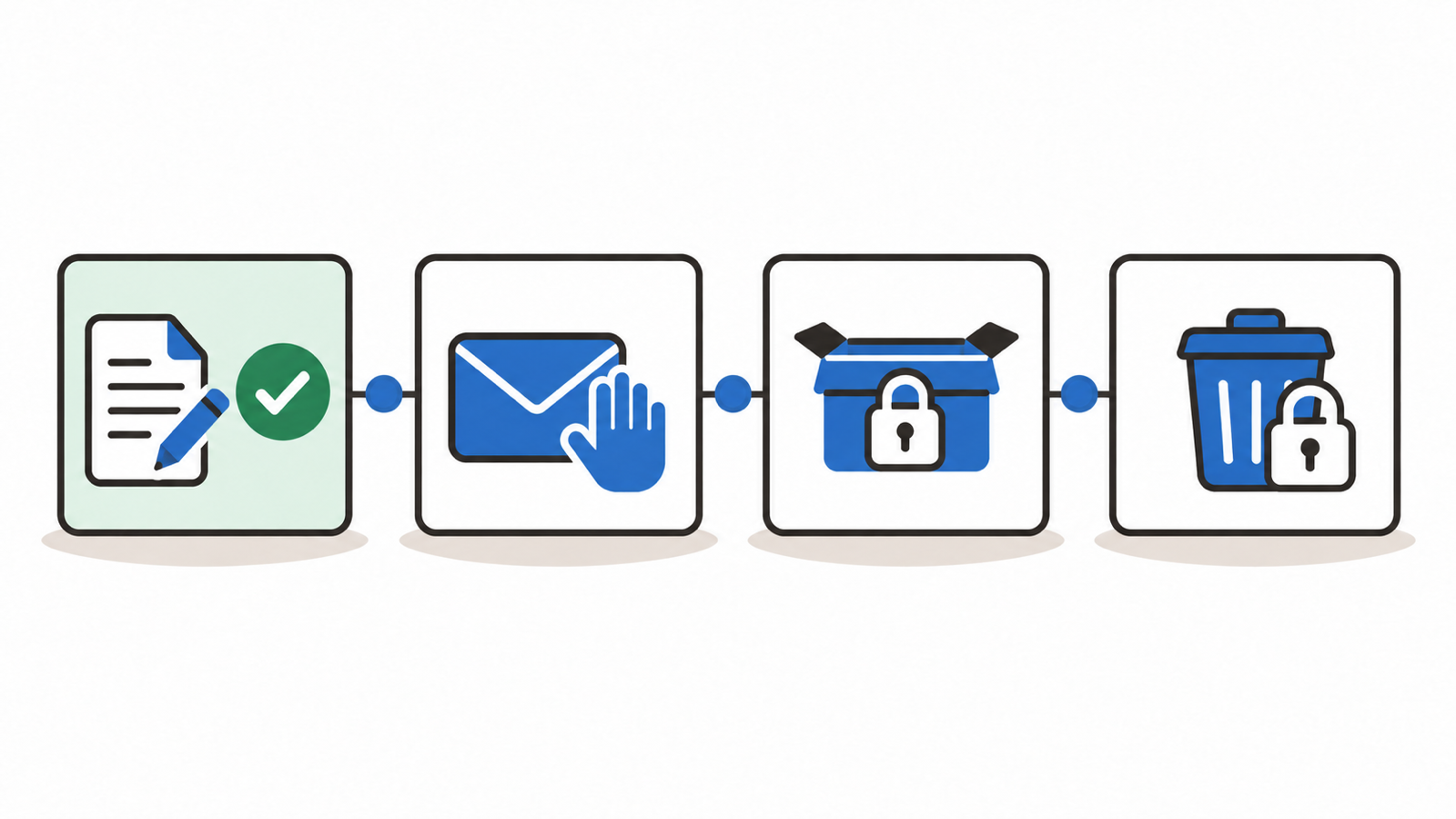
1. Grant the fewest tools. In your AI client, turn on only the tools the task needs. OpenAI's MCP tooling supports an allowed_tools list, the Anthropic API connector supports a default-off configuration with per-tool settings, and Claude's apps let you disable individual tools. To make an agent send-only on the client side, leave the read-the-archive tools and all delete tools off; the token itself still has full access.
2. Put a human in front of every send. The MCP specification says there "SHOULD always be a human in the loop with the ability to deny tool invocations". Use a draft-and-confirm flow: the agent creates a draft, you read the draft file and the signer list, then you approve the send. Do not click "allow always" on send tools. In Formify this is the default flow: create_draft and get_draft_file let you preview the document before send_draft sends the invitation. How to send a contract for signature from Claude shows the flow step by step.
3. Separate the agent's identity. Use a dedicated user or account for the agent, with only the documents and templates it needs. This is our recommendation rather than a vendor feature. It limits what a token can see, because a token sees what its user sees.
4. Keep the three risks apart. An agent that reads incoming contracts should not also be able to read the archive or send to arbitrary addresses. Use one agent to prepare from your own templates and a person to handle anything that arrives from outside.
5. Learn status from webhooks, not from archive reads. Instead of letting the agent list and open documents to see who signed, register a webhook so your own system receives signing events and tells the agent only what it needs. Formify offers webhooks for document events such as document.signed and document.completed, with an HMAC signing secret you can rotate.
6. Make access revocable and logged. Prefer OAuth over a long-lived API key, so you can revoke access in one place, and keep an audit log. The MCP specification says clients should log tool usage for audit purposes. In Formify, each document's history and printable audit log show what happened to it, and your AI client's log shows what the agent did.
What can Formify's e-signature MCP server limit today, and what can't it?
Checked against Formify's developer documentation and the app on 12 November 2026:
- OAuth sign-in with PKCE and a consent screen: Available. The consent screen describes what the app can read and write; you cannot narrow that grant on the screen
- Token lifetime: Access tokens last 1 hour and are renewed automatically; the renewal (refresh token) lasts 60 days.
- Preview before send: Available. create_draft and get_draft_file show the document before send_draft sends the invitation
- Revoke an app: Available: Settings > Integration > Authorized Applications, then "..." > "Revoke".
- Webhooks for status: Available, with a rotatable HMAC secret
- Signed copy download: get_signed_document_url returns a 10-minute download link, not the file itself
- API key as an alternative to OAuth: Available; OAuth is recommended when your tool supports it
- Audit: Each document has its own history and a printable audit log, and Settings shows when each app was granted access and by whom. There is no separate log per connected app, so use your AI client's tool log for the agent's own actions.
- Server-side approval before send: Not enforced by the server. Your AI client asks before each send, and the tool descriptions and Formify's send-contract skill tell the agent to confirm first.
- Send-only, template-only or folder-limited token: Not available. A token acts as the signed-in user and sees everything that user sees, so use a dedicated user (pattern 3).
- The full tool list is on Formify's MCP page.
The "documents the user can see" boundary is the user's own documents plus those shared within the account. Documents another user keeps private are not shared with admins. For the agent, that is the reason to use a dedicated user (pattern 3).
We found no vendor that documents a send-only, template-only or folder-limited token either. What five vendors with their own MCP server or connector document:
- Docusign: Narrowest documented access control: Uses Docusign OAuth; the guide says existing permissions, access controls and audit policies still apply, and that permission scopes decide what agreement data can be accessed; Confirmation before send: The guide says sensitive workflows may need human review. Docusign says the MCP server "is generally available"; Source: Docusign's Claude MCP connector guide (docusign.com), retrieved 12 November 2026
- PandaDoc: Narrowest documented access control: Not found on the pages we read. The official MCP server has a global and a European address, and the connector in Claude's directory works only with the global region; Confirmation before send: Not found on the pages we read; Source: PandaDoc's MCP documentation (developers.pandadoc.com), retrieved 12 November 2026
- Scrive: Narrowest documented access control: Assistant "gets your permissions, nothing more"; access revocable; sign-in with a Scrive account; Confirmation before send: "Your assistant asks before anything is sent"; Source: Scrive's MCP documentation (mcpdocs.scrive.com), retrieved 12 November 2026
- Youtrust: Narrowest documented access control: An "AI Connector" built on MCP with OAuth sign-in, for Claude, ChatGPT and Mistral Vibe; it can send from an existing template, list pending requests and check status, and is available on all plans; Confirmation before send: Not found on the pages we read; Source: Youtrust's AI Connector page (youtrust.com), retrieved 12 November 2026
- Signaturit: Narrowest documented access control: OAuth sign-in through the browser; each of its 49 tools is marked read-only or destructive, which helps you decide which ones to allow; Confirmation before send: Not found on the pages we read; Source: Signaturit's MCP page (signaturit.com), retrieved 12 November 2026
Treat this as a snapshot, and ask each vendor directly.
What does the AI provider actually see?
The AI model that reads your tool results is the one your own client uses, such as Claude or ChatGPT. Formify's MCP server does not call a language model itself. It returns structured results: document metadata, signer names and contact details, field values. One tool, get_draft_file, returns the whole draft PDF (as base64) into the model's context. A signed copy is returned as a short-lived link instead.
Under the GDPR, limit what you pass: Article 5(1)(c) asks for personal data that is "adequate, relevant and limited to what is necessary". Check your AI provider's data processing terms, because whether the provider acts as your processor under Article 28 depends on your contract with it. Formify's AI features inside the account (not the MCP server) are a separate path. In the EU setup, an administrator can choose to run AI only with Mistral through its EU endpoint. The AI Assistant that can be attached to documents sent for signing is not part of the EU setup yet.
What should you ask before connecting an agent to an e-signature MCP server?
Ask these ten questions before you connect an agent; the first two determine whether the agent can read your archive at all.
- Can a token be limited to sending, with no read access to existing documents?
- Can a token be limited to specific templates or folders?
- Does the server require human confirmation before a send, or only recommend it?
- Are tools labelled read-only and destructive, and do you still limit them in your client?
- Is sign-in OAuth with PKCE, and can you revoke access in one place?
- How long do tokens last, and what does an API key grant?
- Is every agent action written to an audit log you can read?
- Can the agent get signing status through webhooks instead of reading the archive?
- What does the AI client see in tool results, and does the vendor minimise it?
- Where is data hosted and who are the sub-processors?
FAQ
Can I stop an agent from reading signed contracts?
Only by not granting the tools that read them, and by using a dedicated user that cannot see those documents. Today that is a client and account setup, not a vendor token option.
Is a human confirmation enough?
It is the last control before a contract reaches a third party, so it catches what the other controls miss. It does not replace limiting what the agent can read.
Should the agent use an API key or OAuth?
Prefer OAuth where your tool supports it, because you can revoke it in one place. An API key is a long-lived secret, so store it carefully.
Does EU-only AI processing protect my contracts here?
It applies to AI features inside your Formify account when the EU setup is turned on, not yet to the AI Assistant attached to documents for signing. An agent in your own AI client uses that client's model and region.
Sources
- MCP specification, version 2026-07-28: tools, authorization and security best practices
- OWASP LLM01: prompt injection and LLM06: excessive agency
- Simon Willison, "The lethal trifecta for AI agents", 16 June 2025
- Regulation (EU) No 910/2014 (eIDAS)
- GDPR (Regulation (EU) 2016/679), Articles 5 and 28
- Incident write-ups: Invariant Labs, GitHub MCP, General Analysis, Supabase MCP
- Vendor pages, named in the list above and all retrieved 12 November 2026: Docusign MCP guide, PandaDoc MCP documentation, Scrive MCP documentation, Youtrust AI Connector, Signaturit MCP page. Formify: developer documentation and Formify's MCP page.


